On the App Store, version 1.2.16
Unwanted SMS,filtered on your iPhone
FiltreAI sorts betting, scam and promotional texts from senders who are not in your contacts, right on your iPhone. No account and no internet needed; your messages never leave your phone.
One of the messages it sorts: a betting bonus, a fake delivery notice, a fake enforcement threat, a card fee refund scam, a pirate game server ad
- No account needed
- No internet needed
- No data collected
For iPhone. iOS only runs the filter for senders who are not in your contacts.
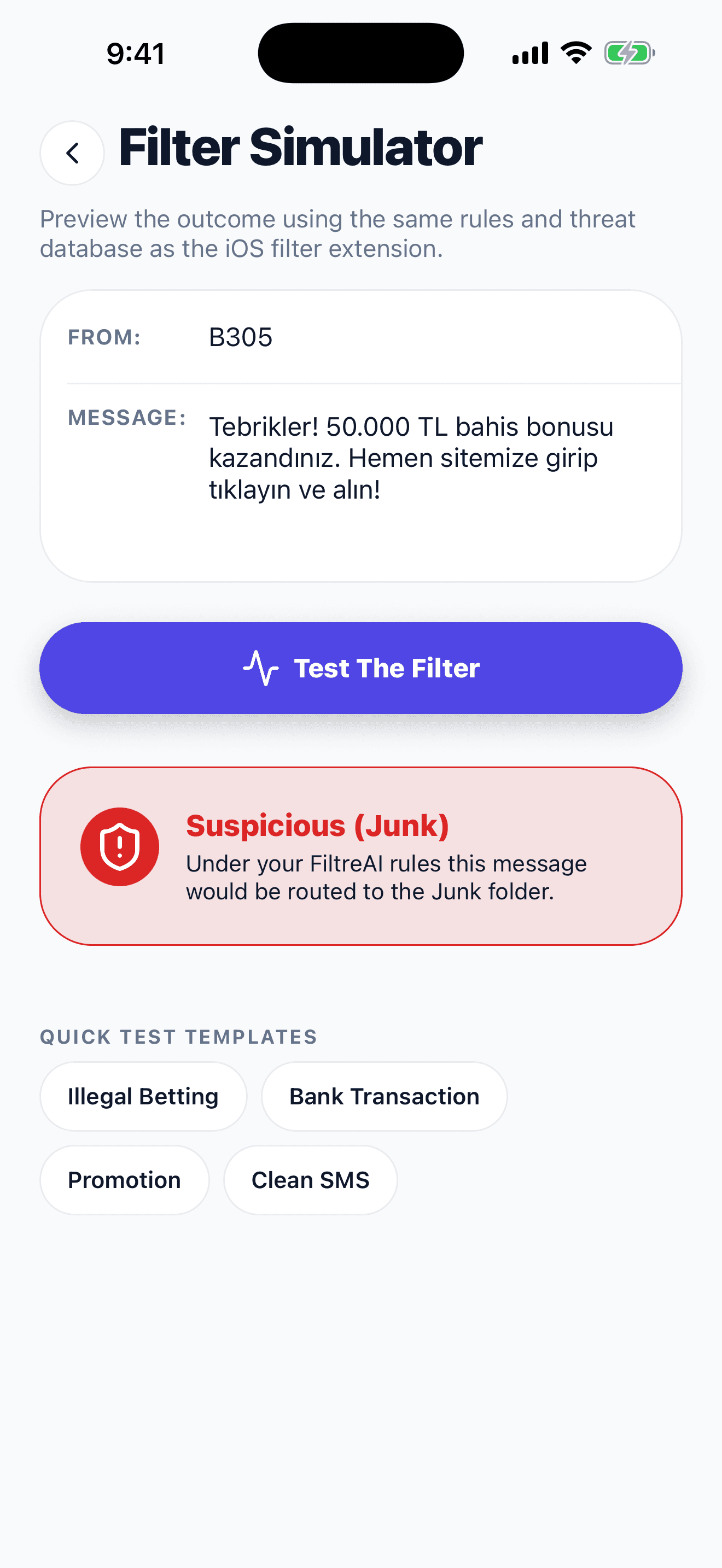
When a message arrives
Every message goes to the folder it belongs in
FiltreAI reads the message, compares it with the rules and tells iOS one decision. No message is deleted; it stays in its folder in the Messages app.
B305
Congratulations! You won a 50,000 TL betting bonus. Visit our site, tap and claim it now!
JunkBANK
A purchase of 250.00 TL was made with your card. If this was not you, call your bank.
TransactionSHOP
Weekend sale started on selected items. To opt out of SMS, text RET to 1234.
Promotion
These are sample messages; the sender names are fictional.
Five shields, ready out of the box
Rules for the unwanted message types common in Türkiye ship with the app; there is nothing extra to download.
- Betting and GamblingIllegal casino, slot, free spin and no-wagering bonus messages.
- Fake DeliveryAddress update, failed delivery and customs fee phishing.
- Fake Legal and EnforcementSettlement file, prosecutor notice and fake enforcement threats.
- Fake Refund and Task ScamsCard fee refunds, welfare promises and pay-for-tasks traps.
- Pirate Game ServersAds for unlicensed private game servers.
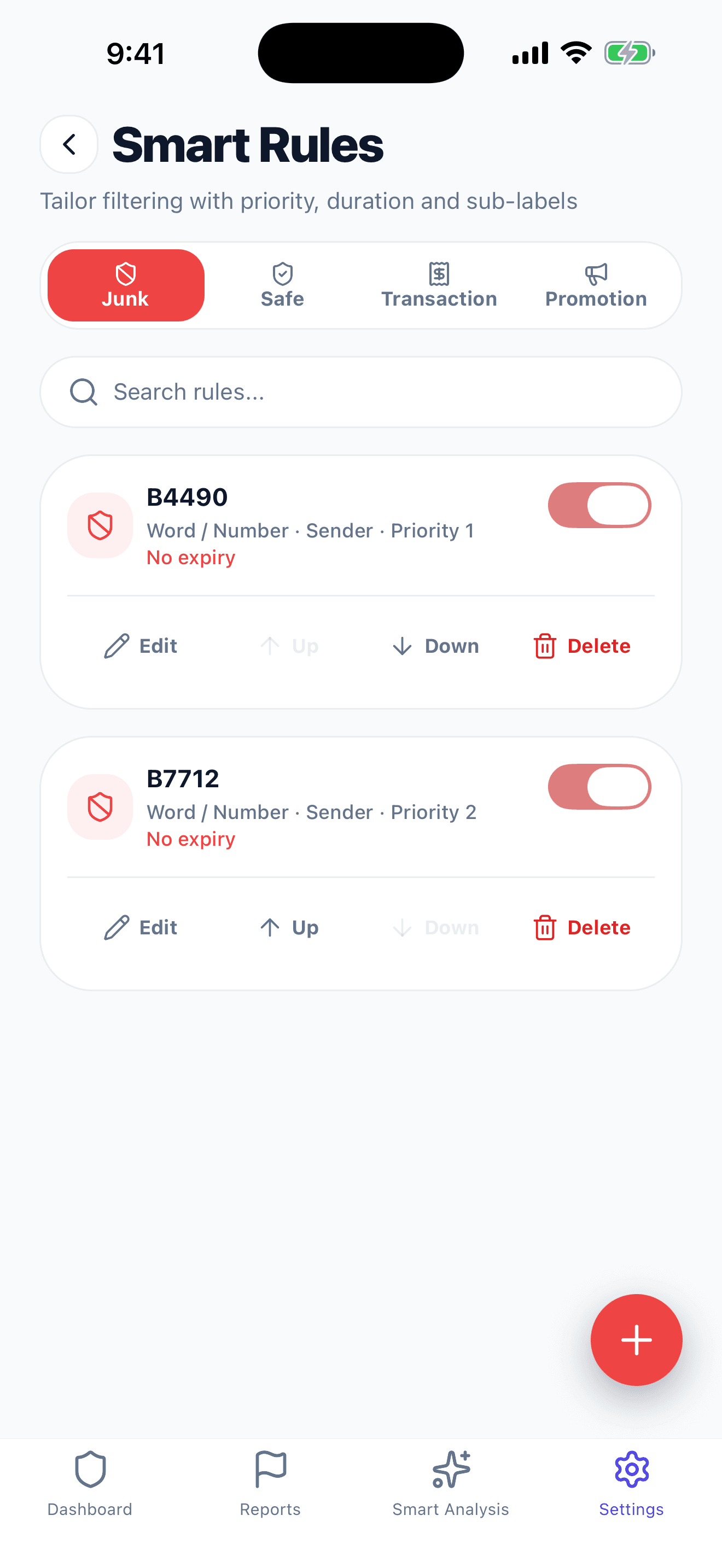
You decide who and what gets sorted
Add a sender, word or regular-expression rule, or put a sender on your allow list. Your exact-sender rules and allow list take precedence over the built-in rules.
- If a message was sorted wrongly, add the sender to your allow list
- Separate rules for Junk, Safe, Transaction and Promotion
- Try how a message will be sorted in the Filter Simulator first
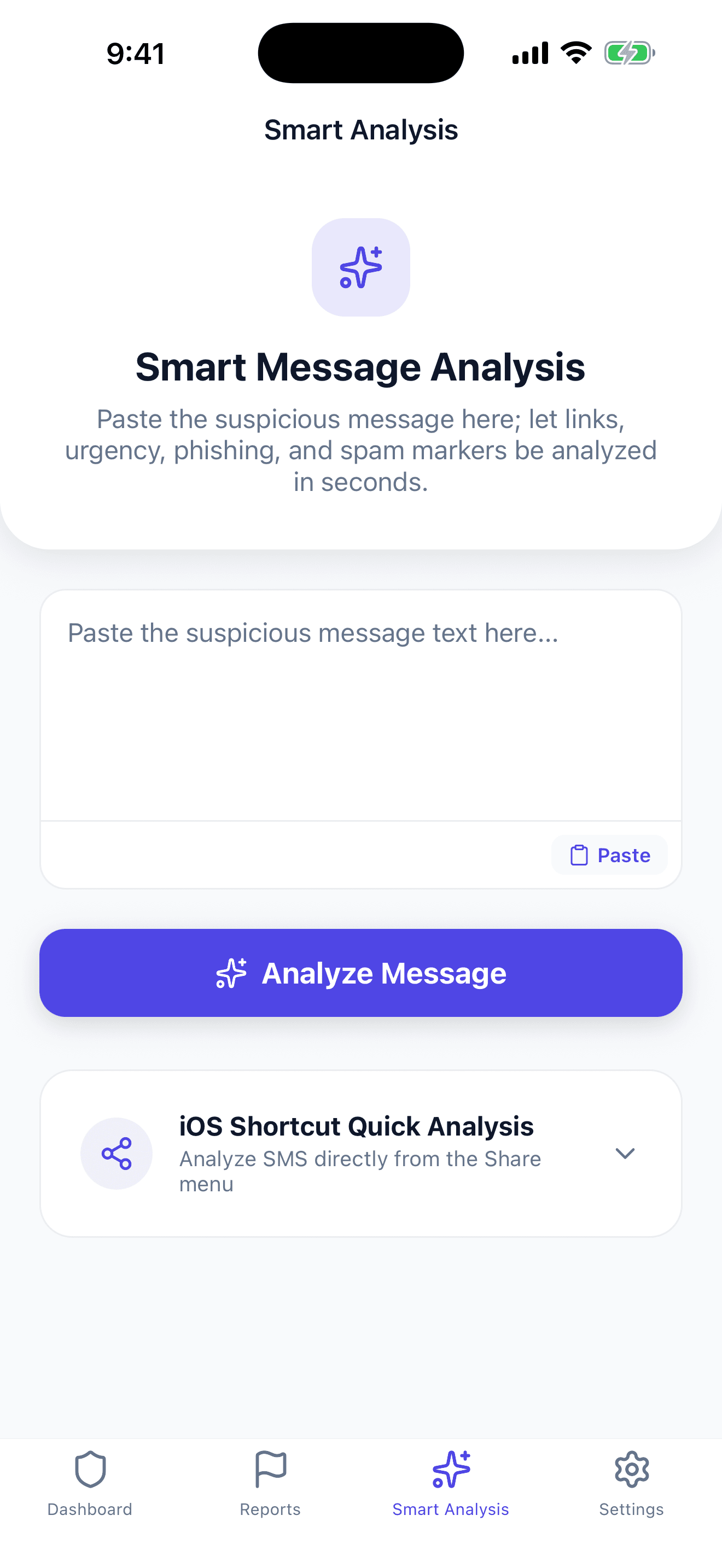
Paste a message you doubt and see the signals
Link, urgency, phishing and spam signals are examined on your phone. The message is not sent to a FiltreAI server.
New-generation abilities, stronger control
FiltreAI was strengthened end to end for the latest iOS standards and user experience. From Shortcuts to haptic feedback, from rule sharing to OLED themes, every feature works on your device.
Delete Entries One by One or Clear Them
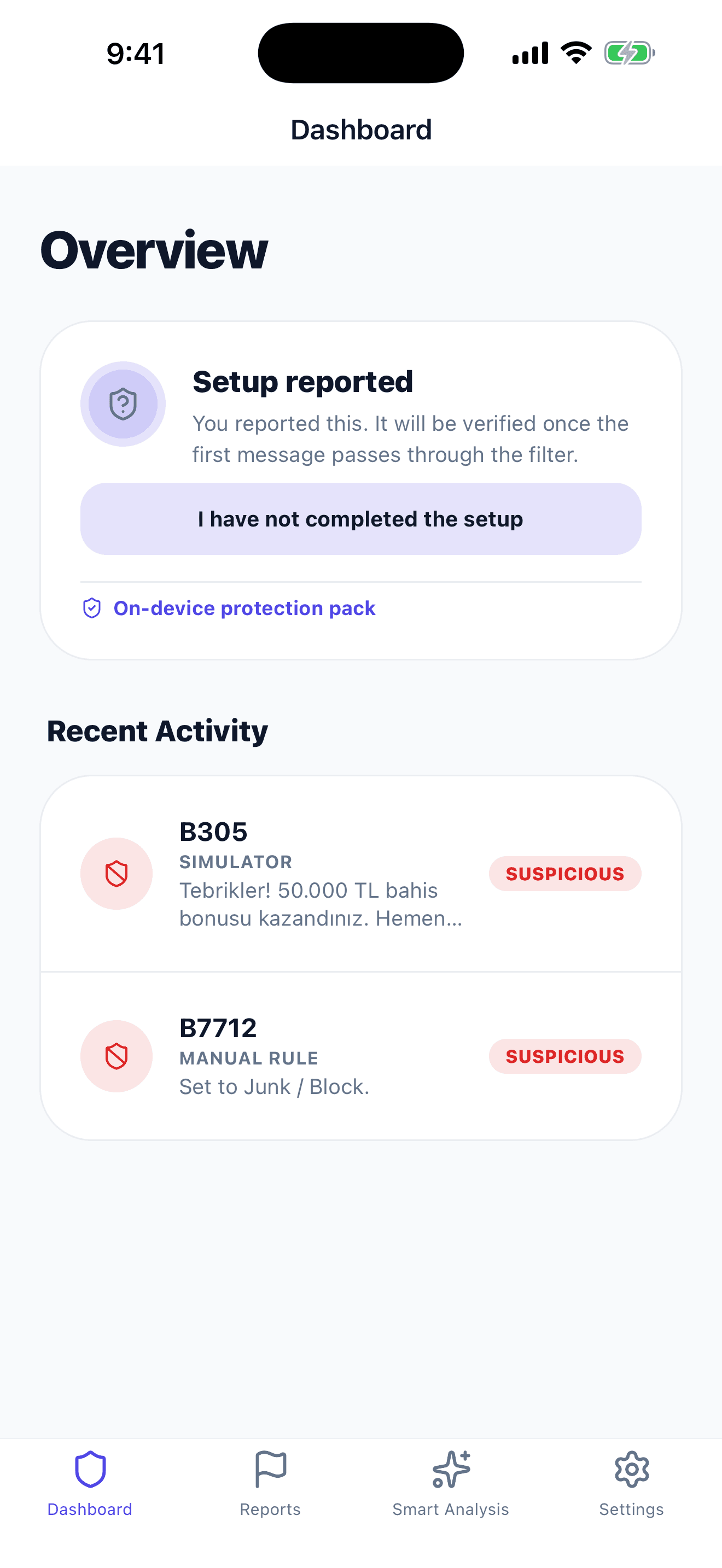
Delete individual Recent Activity and SMS history entries, or clear them all. The history stays only on your phone.
A Rule Against Fake Delivery Messages
Fake delivery messages are filtered and flagged in Smart Analysis. Real carrier notices are not affected by this rule.
Verdict and Advice Now Move Together
When Smart Analysis finds a dangerous link, the verdict and the advice now rise together; the weekly check card and setup texts are also clearer.
Shortcuts & Siri Integration
Test a copied SMS with one tap, or with “Hey Siri, check suspicious SMS”, right from the Lock Screen or Control Center.
JSON Rule Backup and Sharing
Export your custom sender, word and regex rules with one tap, back them up, or load them onto a family member’s iPhone in seconds.
Distinct Shield Haptics
A solid Heavy Impact tap that feels like a metal shield when spam is sorted; a light double confirmation for safe messages.
iOS 18 Icons and OLED Themes
Light, dark and tinted iOS 18 app icons. A battery-friendly Pure Black (OLED) theme at night and a clean Pure White one by day.
Home Screen Shortcuts and iPad Support
Long-press the icon to scan the clipboard or add a rule; a layout that adapts to foldables and large screens like iPad.
Screen Privacy Shield & Dual Reporting
An automatic privacy curtain in the app switcher, and system-level reporting through the Settings > Phone > SMS/Call Reporting extension.
One-tap analysis from the Lock Screen or Siri
Copy a suspicious incoming SMS, tap the shortcut on the Lock Screen or run it with “Hey Siri”. The message goes straight into the FiltreAI Simulator and is tested against the local shields in seconds.
New app icons for iOS 18
Pick a light, dark or gold shield icon to match your Home Screen.

Default Light
A royal-navy shield on a pure white background.

Dark Titanium
A titanium-silver shield on pure black.

Obsidian Gold
A gilded shield and a glowing AI star.
Real screens, real decisions
These are the app’s own screens; none of them is a design mockup.
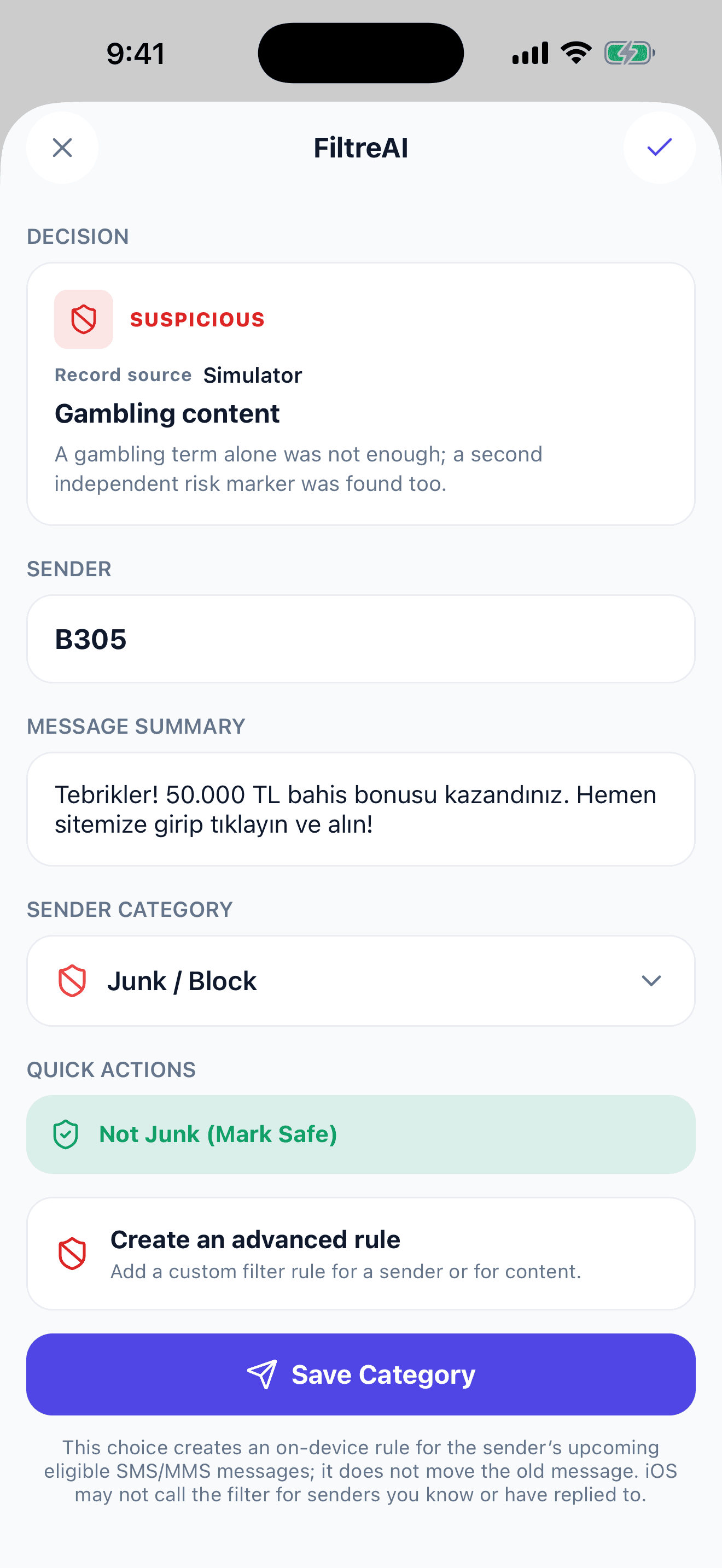
See why it was sorted
It tells you why a message was sorted; if it is wrong, mark it safe with one tap.
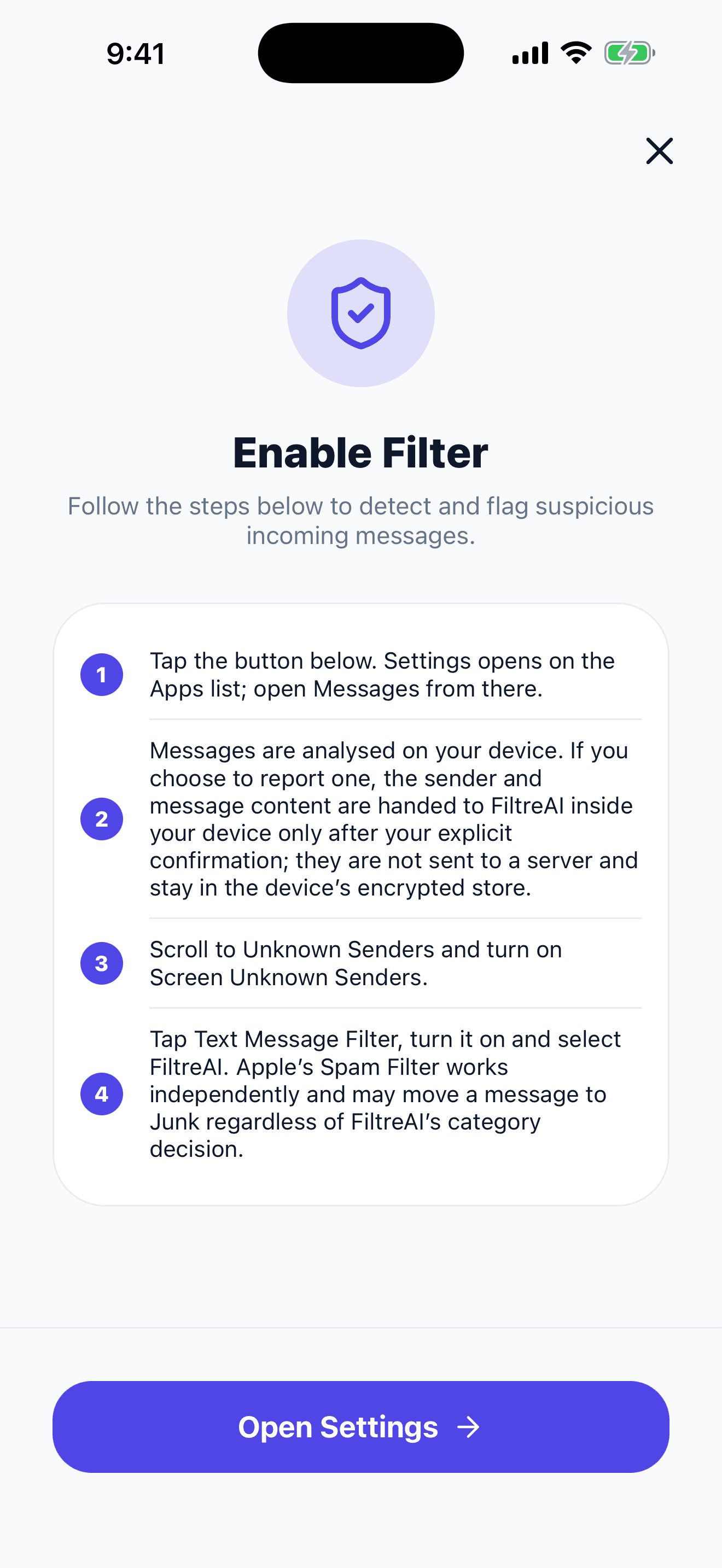
Set up in four steps
The steps to follow in Settings to turn the filter on are written inside the app.
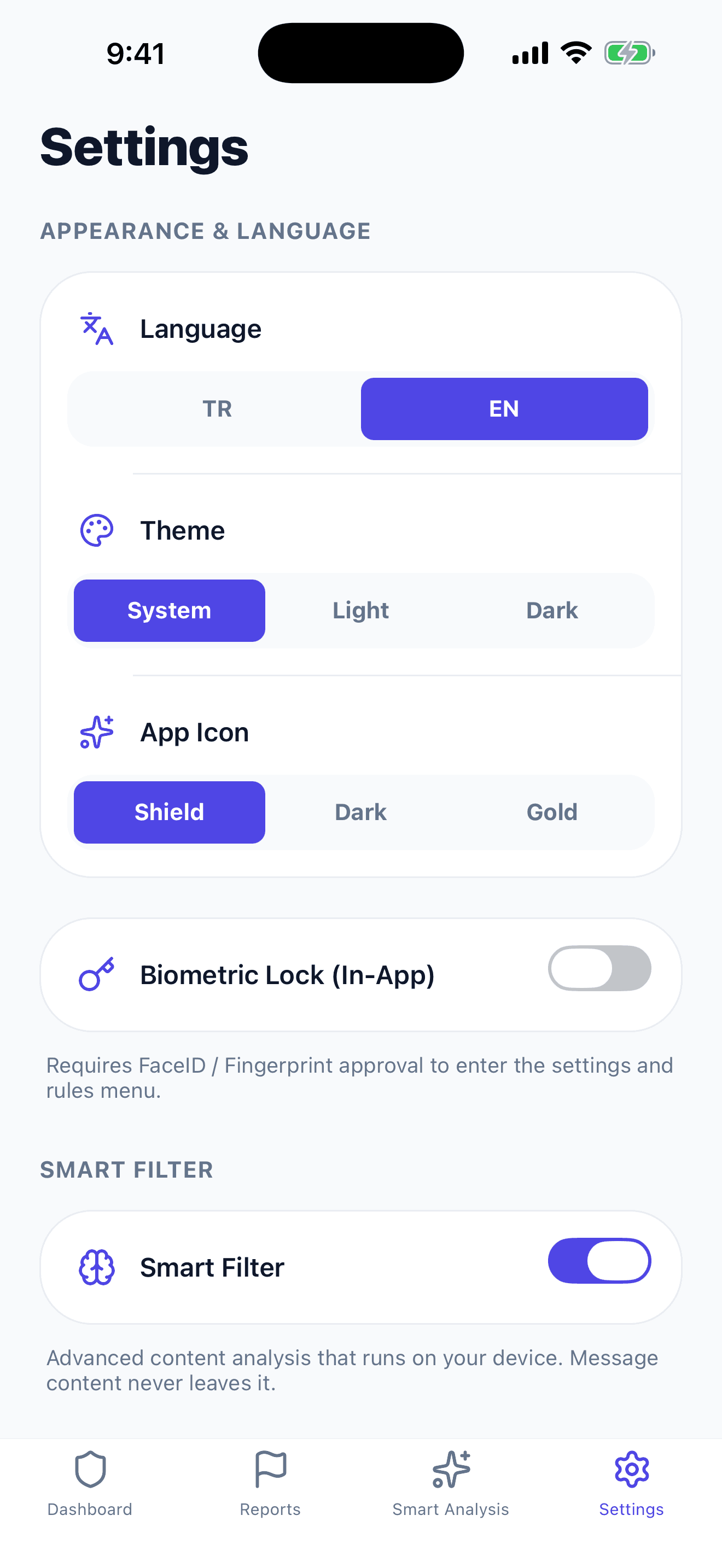
You stay in control
Language, theme, app icon and biometric lock on a single screen.
FiltreAI’s developer collects no data from the app
Messages, senders, custom rules and your allow list stay on your device. There are no ads, tracking, analytics SDKs, push profile or remote diagnostics.
Read the privacy policy- No account, email or phone verification
- No internet needed for filtering
- No ads, tracking or analytics SDK
- Your messages and rules stay on your device
Ready in minutes
- 1
Download the app
Install FiltreAI from the App Store. You do not need an account.
- 2
Turn on the message filter
Open Settings > Apps > Messages > Unknown & Spam > Text Message Filter and choose FiltreAI.
- 3
Call and SMS reporting
Choose FiltreAI under Settings > Phone > SMS/Call Reporting to report unwanted contact at the system level.
- 4
Speed up with Shortcuts
With a Lock Screen or Siri shortcut, analyze a copied suspicious message in the simulator with one tap.
Frequently asked questions
Does FiltreAI read my messages and send them to a server?
No. Filtering, rules and analysis run on your phone. Your messages, senders and allow list never leave your device, and FiltreAI’s developer collects no data from the app.
Do I need to create an account or sign up?
No. We do not ask for an account, email or phone verification. You can start using the app the moment you download it.
How do I turn it on on iPhone?
Open Settings > Apps > Messages > Unknown & Spam > Text Message Filter and choose FiltreAI. iOS only runs the filter for messages from senders who are NOT saved in your contacts.
Does it work without an internet connection?
Yes. The protection pack ships with the app, so filtering, the test simulator and analysis work offline.
Are filtered messages deleted?
No. Messages are not deleted; they are sorted into the Junk, Promotion and Transaction tabs in the Messages app. You can open and read them any time.
Can I delete entries from the history?
Yes. You can delete Recent Activity and SMS history entries one by one or clear them all. That history is stored only on your phone.
Can I move my rules to another iPhone?
Yes. You can export the rules you created in the Smart Rules screen as a JSON file with one tap, share them and restore them on another device.
How do I use it with Shortcuts and Siri?
FiltreAI supports filtreai:// deep links. In the Shortcuts app you can build a shortcut that sends the text on your clipboard to the simulator or to analysis with one tap, and attach it to the Lock Screen or Siri.
Simplify your inbox
Setup takes a few minutes; you do not need an account.